E-commerce Automation Practice
Automate a realistic storefront — search products, manage the cart, enter an address, and place an order — with Selenium, Cypress, or Playwright.




How to Automate This E-commerce Page
A full shopping journey — search a product, set a quantity, add to cart, review the cart, enter a shipping address, pay, and see the order confirmation. It is ideal for practising dynamic, per-product locators, an off-canvas cart, and a multi-step checkout.
The same scenario written for two popular frameworks. These use the stable id and data-testid locators documented in the cheat sheet below.
import { test, expect } from '@playwright/test';

test('search, add to cart, and check out', async ({ page }) => {
  await page.goto('https://www.qapractice.com/practice-ecommerece-website');

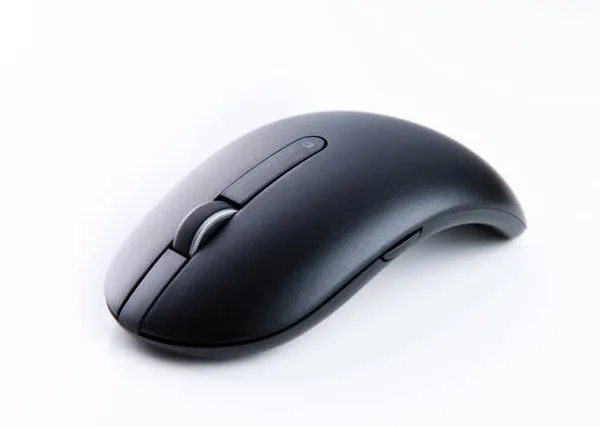
  // Product id 2 = "Wireless Mouse"
  await page.getByTestId('quantity-2').fill('2');
  await page.getByTestId('add-to-cart-2').click();

  await page.getByTestId('ecom-cart-button').click();
  await page.getByTestId('ecom-proceed-to-buy').click();

  // Shipping address
  await page.getByTestId('ecom-address-name').fill('Ada Lovelace');
  await page.getByTestId('ecom-address-street').fill('1 Analytical Ave');
  await page.getByTestId('ecom-address-city').fill('London');
  await page.getByTestId('ecom-address-state').fill('LDN');
  await page.getByTestId('ecom-address-zip').fill('EC1A');
  await page.getByTestId('ecom-save-address').click();

  // Payment
  await page.getByTestId('ecom-card-number').fill('4111111111111111');
  await page.getByTestId('ecom-expiry').fill('12/30');
  await page.getByTestId('ecom-cvv').fill('123');
  await page.getByTestId('ecom-buy-now').click();

  await expect(page.getByTestId('ecom-order-success'))
    .toContainText('Order Successful');
});
import org.openqa.selenium.By;
import org.openqa.selenium.WebDriver;
import org.openqa.selenium.chrome.ChromeDriver;
import org.openqa.selenium.support.ui.ExpectedConditions;
import org.openqa.selenium.support.ui.WebDriverWait;
import java.time.Duration;
public class EcommerceTest {
public static void main(String[] args) {
WebDriver driver = new ChromeDriver();
WebDriverWait wait = new WebDriverWait(driver, Duration.ofSeconds(10));
driver.get("https://www.qapractice.com/practice-ecommerece-website");
// Product id 2 = "Wireless Mouse"
driver.findElement(By.id("quantity-2")).clear();
driver.findElement(By.id("quantity-2")).sendKeys("2");
driver.findElement(By.cssSelector("[data-testid='add-to-cart-2']")).click();
driver.findElement(By.id("ecom-cart-button")).click();
wait.until(ExpectedConditions.elementToBeClickable(
By.id("ecom-proceed-to-buy"))).click();
driver.findElement(By.id("ecom-address-name")).sendKeys("Ada Lovelace");
driver.findElement(By.id("ecom-address-street")).sendKeys("1 Analytical Ave");
driver.findElement(By.id("ecom-address-city")).sendKeys("London");
driver.findElement(By.id("ecom-address-state")).sendKeys("LDN");
driver.findElement(By.id("ecom-address-zip")).sendKeys("EC1A");
driver.findElement(By.id("ecom-save-address")).click();
driver.findElement(By.id("ecom-card-number")).sendKeys("4111111111111111");
driver.findElement(By.id("ecom-expiry")).sendKeys("12/30");
driver.findElement(By.id("ecom-cvv")).sendKeys("123");
driver.findElement(By.id("ecom-buy-now")).click();
String msg = wait.until(ExpectedConditions.visibilityOfElementLocated(
By.id("ecom-order-success"))).getText();
assert msg.contains("Order Successful");
driver.quit();
}
}Every interactive element on this page exposes a stable id and/or data-testid so your scripts don't depend on brittle positions or styling.
| Element | id | data-testid | Playwright locator | Selenium locator |
|---|---|---|---|---|
| Search box | ecom-search | ecom-search | getByTestId('ecom-search').fill('mouse') | By.id("ecom-search") |
| Category filter button | — | ecom-category-<name> | getByTestId('ecom-category-electronics') | By.cssSelector("[data-testid='ecom-category-electronics']") |
| Sort dropdown | ecom-sort | ecom-sort | getByTestId('ecom-sort').selectOption('price-asc') | new Select(driver.findElement(By.id("ecom-sort"))) |
| Open a product (view details) | — | view-product-<id> | getByTestId('view-product-2') | By.cssSelector("[data-testid='view-product-2']") |
| Product detail container | — | ecom-product-detail | getByTestId('ecom-product-detail') | By.cssSelector("[data-testid='ecom-product-detail']") |
| Back to products (from detail) | — | ecom-back-to-products | getByTestId('ecom-back-to-products') | By.cssSelector("[data-testid='ecom-back-to-products']") |
| Pagination: a page number | — | ecom-page-<n> | getByTestId('ecom-page-2') | By.cssSelector("[data-testid='ecom-page-2']") |
| Pagination: next / previous | — | ecom-page-next / ecom-page-prev | getByTestId('ecom-page-next') | By.cssSelector("[data-testid='ecom-page-next']") |
| Cart button (opens cart) | ecom-cart-button | ecom-cart-button | getByTestId('ecom-cart-button') | By.id("ecom-cart-button") |
| Quantity for a product | quantity-<id> | quantity-<id> | getByTestId('quantity-2') | By.id("quantity-2") |
| Add to cart for a product | — | add-to-cart-<id> | getByTestId('add-to-cart-2') | By.cssSelector("[data-testid='add-to-cart-2']") |
| Remove item from cart | — | remove-from-cart-<id> | getByTestId('remove-from-cart-2') | By.cssSelector("[data-testid='remove-from-cart-2']") |
| Proceed to Buy | ecom-proceed-to-buy | ecom-proceed-to-buy | getByTestId('ecom-proceed-to-buy') | By.id("ecom-proceed-to-buy") |
| Address: full name | ecom-address-name | ecom-address-name | getByTestId('ecom-address-name') | By.id("ecom-address-name") |
| Address: street | ecom-address-street | ecom-address-street | getByTestId('ecom-address-street') | By.id("ecom-address-street") |
| Address: city | ecom-address-city | ecom-address-city | getByTestId('ecom-address-city') | By.id("ecom-address-city") |
| Address: state | ecom-address-state | ecom-address-state | getByTestId('ecom-address-state') | By.id("ecom-address-state") |
| Address: ZIP | ecom-address-zip | ecom-address-zip | getByTestId('ecom-address-zip') | By.id("ecom-address-zip") |
| Save Address & continue | ecom-save-address | ecom-save-address | getByTestId('ecom-save-address') | By.id("ecom-save-address") |
| Card number | ecom-card-number | ecom-card-number | getByTestId('ecom-card-number') | By.id("ecom-card-number") |
| Expiry date | ecom-expiry | ecom-expiry | getByTestId('ecom-expiry') | By.id("ecom-expiry") |
| CVV | ecom-cvv | ecom-cvv | getByTestId('ecom-cvv') | By.id("ecom-cvv") |
| Buy Now | ecom-buy-now | ecom-buy-now | getByTestId('ecom-buy-now') | By.id("ecom-buy-now") |
| Order-success heading | ecom-order-success | ecom-order-success | getByTestId('ecom-order-success') | By.id("ecom-order-success") |
Use these as a checklist to build your automation suite. Download them as a Markdown file to keep alongside your test project.
| ID | Scenario | Steps | Expected Result |
|---|---|---|---|
| TC01 | Add a product to the cart |
| The product appears in the cart with the chosen quantity, and the cart badge count increases. |
| TC02 | Search filters products |
| Only products matching the search term are shown, and the result count updates. |
| TC02b | Category filter |
| Only Fashion products are listed and the count reflects the category. |
| TC02c | Sort by price |
| Products are re-ordered from cheapest to most expensive. |
| TC02d | Pagination |
| The next set of products is shown; Previous becomes enabled. |
| TC02e | Open a product page |
| The product detail page opens with description, rating, price, and Add to Cart. |
| TC03 | Remove an item from the cart |
| The item is removed and the cart total updates. |
| TC04 | Proceed to Buy disabled when cart empty |
| The Proceed to Buy button is disabled. |
| TC05 | Full checkout happy path |
| An "Order Successful!" confirmation with the purchased items is shown. |
| TC06 | Cart total is correct |
| The cart total equals A.price×2 + B.price. |
| TC07 | Quantity minimum |
| The quantity input enforces a minimum of 1. |
| TC08 | Payment validation |
| Validation errors are shown and the order is not completed. |